A photo proof of delivery is a carrier-recorded image showing where and when a parcel was left, and it is the fastest way to verify an unattended delivery. Amazon calls its version “Photo on Delivery,” Deliveroo’s driver app returns “PPOD” file IDs through its API, and FedEx offers “picture proof of delivery” through its tracking portal. Each does the same job: it removes the guesswork from “did my parcel actually arrive?”
The photo usually proves three things: the package was left, roughly where it was left, and roughly when. That combination settles most disputes before they escalate.
- Verification — confirms the drop happened at the address given.
- Dispute evidence — gives both sides something concrete to check against a claim.
- Customer reassurance — replaces a guess with a picture.
You’ll typically find the image on the carrier’s tracking page or inside your marketplace order history, often behind a link sent by SMS or email. One caveat matters more than people realise: FedEx’s own guidance notes that photos aren’t kept indefinitely, so save anything you might need before the window closes.
Key Takeaways
Photo proof of delivery works because it pairs a visual record of the parcel’s location with a server-verified timestamp, and that combination resolves far more disputes than a signature alone.
| Point | Details |
|---|---|
| Definition matters | A photo proof of delivery shows where and when a parcel was left, verified by server-side data rather than the phone’s own clock. |
| Context beats close-ups | Include a location marker, a house number or gate, alongside the parcel itself for the photo to hold up. |
| Download promptly | Carriers like FedEx and Deliveroo retain photos for limited windows, so save images you may need soon. |
| Minimise personal data | Avoid capturing faces, ID details or full addresses; keep fleet photos for at least 30 days. |
| Frphaulage delivers signed proof | Frphaulage pairs signed proof of delivery with photographic evidence on every shipment, backed by 60 to 120 minute collection windows. |
Table of Contents
- What makes a delivery photo count as real proof
- How carriers capture, transmit and store the image
- Best practices for drivers and fleet managers
- Accessing and using delivery photos in a dispute
- Privacy, opt-outs and how long photos should be kept
- How Frphaulage handles proof of delivery
- What drivers get right and what the industry still gets wrong
- Same-day courier service with signed proof on every job
- Frequently asked questions
- Sources
What makes a delivery photo count as real proof
A photo only earns the label “proof” once it contains enough context to answer the who, where and when questions on its own. A tight shot of a box on a doormat, with nothing else visible, proves almost nothing if the address is disputed.
Useful delivery photos usually include:
- The package itself, clearly visible and not obscured by hands or shadow.
- A location clue, a house number, a gate, a numbered bay, or a recognisable porch feature.
- A timestamp that comes from the server, not just the phone’s internal clock.
That last point trips up a lot of people. A raw photo’s EXIF data can be edited, stripped, or simply wrong if the device’s clock drifts. A server-recorded timestamp, generated the moment the image lands on the carrier’s system, is far harder to dispute. Industry guidance from providers like SnapProof consistently ranks server-side timestamps above device metadata for this reason.
You’ll also see variation in format: a single photo, a multi-photo sequence for larger or multi-item drops, a signature paired with a photo for higher-value goods, or a fully GPS-stamped image that logs coordinates alongside the picture.
How carriers capture, transmit and store the image
The pipeline behind a single delivery photo is more involved than most customers assume, reflecting the role of technology in courier services that ensures reliable capture and storage. A driver’s handset captures the image inside a dedicated app, which uploads it to the carrier’s server, generating an audit record that pairs the photo with a job ID, a timestamp, and often GPS coordinates.
- The app captures the image and attaches metadata at the point of drop.
- The file uploads to the carrier’s server, where a server-side timestamp and file ID are logged.
- The record links to the specific delivery job, creating an auditable chain.
- The image becomes accessible through a tracking link, often for a limited period.
Geotagging deserves a closer look. Phone-based GPS tagging inside EXIF data can be inaccurate indoors or near tall buildings, and it’s editable after the fact. Server-side GPS verification, cross-checked against the driver’s route data, is the more reliable layer. Deliveroo’s API documentation shows this clearly: photo proof of delivery is returned as file IDs paired with expiring URLs, and developers integrating the feed must pull the image before that link lapses. The same API documentation notes that multi-rider or multi-photo deliveries can generate several file IDs per job, each needing individual retrieval.
Retention windows vary by carrier and are rarely generous. Treat any delivery photo as something to download within days, not weeks, if you think you’ll need it later.
Best practices for drivers and fleet managers
Getting the photo right at the point of drop saves everyone a headache later, and it takes seconds longer than getting it wrong.
- Frame for context, not just the parcel. Include a house number, a gate, a numbered unit, or another fixed feature alongside the package. A photo of a box on plain concrete proves nothing about location.
- Show the label when it’s safe to do so. A visible tracking number or recipient name ties the image directly to the job record without needing to cross-reference anything.
- Take the photo at the drop point, not from the van. Step out, place the parcel, then shoot. A photo taken through a windscreen or from the wrong angle rarely holds up if challenged.
- Take a backup shot. A second photo from a slightly different angle costs nothing and covers you if the first is blurred, badly lit, or missed the address marker.
- Use an app that generates server-stamped GPS and time data, rather than relying on the phone’s own camera roll. Retain the originals; never submit a screenshot of a screenshot, which strips the metadata that makes the photo useful.
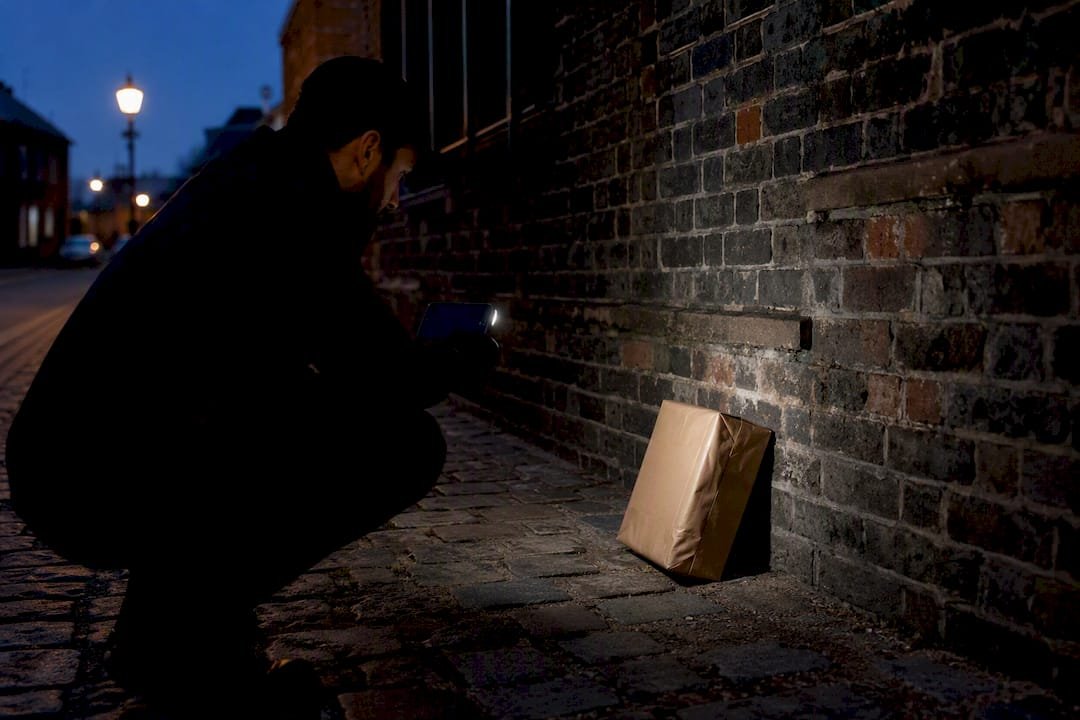
Certain situations call for extra diligence. Damaged goods need a photo of the damage itself, not just the drop, along with a note on the job record describing what happened. Gated sites or business parks often need a wider shot showing the gate or access point alongside the parcel, since “left at the address” means little without proof of exactly where inside a large site. Multi-drop rounds benefit from a consistent naming or numbering habit so photos don’t get mixed up between stops. Night deliveries are the trickiest: poor lighting undermines a photo’s usefulness, so a flash shot that clearly shows both the package and a location marker is worth the extra two seconds it takes.
Pro Tip: Keep your phone’s flash on for any delivery after dusk, even if the app doesn’t prompt you to. A dark, grainy photo is technically “proof,” but it won’t survive a customer dispute the way a clear one will.
Accessing and using delivery photos in a dispute
Recipients and shippers generally reach delivery photos through one of three routes: the carrier’s tracking page, the marketplace order history (Amazon customers can view images this way, as noted in Amazon’s own help documentation), or a direct link sent by SMS or email once the drop is logged.
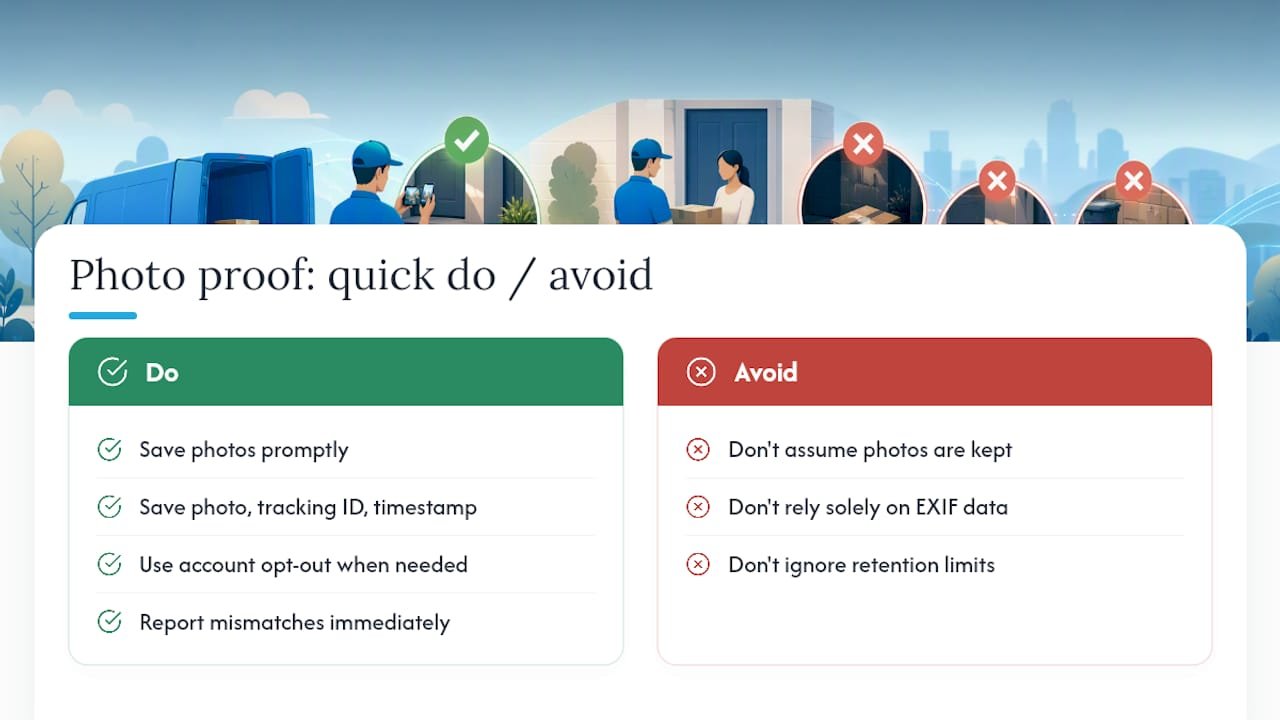
If you’re building a dispute, save more than just the image:
- Download the photo itself, at full resolution where possible.
- Note the tracking or job ID tied to that specific delivery.
- Record the timestamp shown on the carrier’s page, not just the one on the file.
- Screenshot the tracking page itself as a secondary record, in case the photo link expires.
Carrier support teams and marketplace investigation units use exactly this bundle when reviewing a “not received” claim. A photo with no reference to its tracking ID is far weaker evidence than one submitted alongside the delivery record it belongs to. Missing-parcel investigations tend to close faster when the customer arrives with the full set rather than a lone image.
Privacy, opt-outs and how long photos should be kept
Photo capture isn’t unconditional. Carriers commonly withhold or disable the feature for confidential addresses, gift registry deliveries, or accounts that have specifically opted out, and Amazon allows customers to switch the feature off entirely through account settings.
Good practice on the fleet side means minimising what a photo actually shows:
- Avoid capturing faces or identifiable individuals in the frame.
- Don’t zoom in on ID cards, buzzer name panels, or anything revealing a full name unnecessarily.
- Frame tightly enough to prove location without capturing the interior of a home through an open door.
- Set a retention policy and stick to it. Thirty days is a reasonable minimum for most commercial fleets, long enough to cover the typical dispute window without holding data indefinitely.
How Frphaulage handles proof of delivery
Frphaulage issues signed proof of delivery on every job it runs, and photographic evidence sits alongside that signature wherever the shipment and access point make it useful. That combination gives clients both the accountability of a signature and the visual context a photo provides.
- Signed PoD on every shipment, urgent or scheduled.
- Rapid collection windows of 60 to 120 minutes, running 24/7/365.
- Multi-drop capability across regional and national routes.
- Consistent communication from collection through to confirmed drop.
A signature tells you someone accepted the parcel. A photo tells you where it actually landed. Together, they close the gap that causes most delivery disputes.
Businesses choosing a same-day courier service tend to weigh this combination heavily, particularly for high-value or time-critical cargo where a dispute is expensive to resolve without solid evidence.
What drivers get right and what the industry still gets wrong
Most advice on this topic focuses on the wrong end of the problem. Guides obsess over which app to use or which GPS standard is technically superior, when the real failure point is almost always human: a driver rushing the shot, framing only the box, and missing the one detail that would have proven location beyond argument.
The conventional wisdom treats photo proof of delivery as a technology question. It isn’t. Podfy’s own guidance on chain-of-custody photography backs this up: the server-side timestamp and file ID matter more than which camera captured the image, because that’s the part nobody can quietly edit afterwards. A driver with a five-year-old handset and a habit of stepping back far enough to catch the door number will out-perform a driver with the newest app and a lazy, close-up habit every time.
What should a reader prioritise first? Training the habit, not chasing the tool. Get drivers framing for context every single time, and the rest, server timestamps, retention policy, dispute handling, falls into place around that one behaviour. The industry’s technology has already solved the hard part. It’s the two seconds of framing that keeps letting people down.
Same-day courier service with signed proof on every job
Frphaulage is the alternative to chasing carrier tracking links and hoping the photo hasn’t expired. Every job comes with signed proof of delivery as standard, and collection windows of 60 to 120 minutes mean urgent shipments, whether manufacturing components, documents, or high-value cargo, move fast without losing the evidence trail this article has just walked through.
That matters most for businesses running multi-drop schedules or regular account work, where a missing photo or an expired link can turn a routine delivery into a costly dispute. Frphaulage’s service overview covers urgent collection, regional multi-drop runs, and out-of-hours shipping, all backed by the same signed proof of delivery standard. If you’re weighing up providers, the complete guide to choosing a same-day courier sets out what to check before you book. Get a quote for your next urgent shipment and see the collection window for your postcode.
Frequently asked questions
How long do carriers keep delivery photos?
It varies by carrier, but retention windows are often short. FedEx and similar carriers advise customers to view and save any needed photo promptly rather than assume it will remain accessible for weeks.
Can I opt out of photo proof of delivery?
Yes, on platforms like Amazon, account settings typically include an opt-out for photo capture, and carriers usually withhold photos entirely for confidential or gift addresses.
Is a photo proof of delivery legally admissible in a dispute?
A photo carrying a server-side timestamp and location data is generally treated as stronger evidence than a signature alone in commercial disputes, though admissibility ultimately depends on the specific claim and the terms of the shipping contract.
What’s the difference between EXIF data and server-stamped timestamps?
EXIF data comes from the device and can be edited or stripped; server-stamped timestamps are generated the moment the image reaches the carrier’s system, making them far harder to dispute.
What should I do if a delivery photo doesn’t match my address?
Save the photo, the tracking ID, and the timestamp shown on the carrier’s page, then raise the discrepancy with the carrier or marketplace support team as soon as possible, since investigation teams rely on that full bundle rather than the image alone.
Sources
This article draws on carrier help documentation from Amazon and FedEx, plus API and best-practice guides from Deliveroo and Podfy.
- Amazon Photo on Delivery
- Deliveroo photo proof of delivery (API docs)
- Proof of delivery photos: a complete guide for drivers and businesses
- FedEx picture proof of delivery (explainer)